Get cookie
In order to know what pixiv recommends to you, we need to use cookie to login to your account.
-
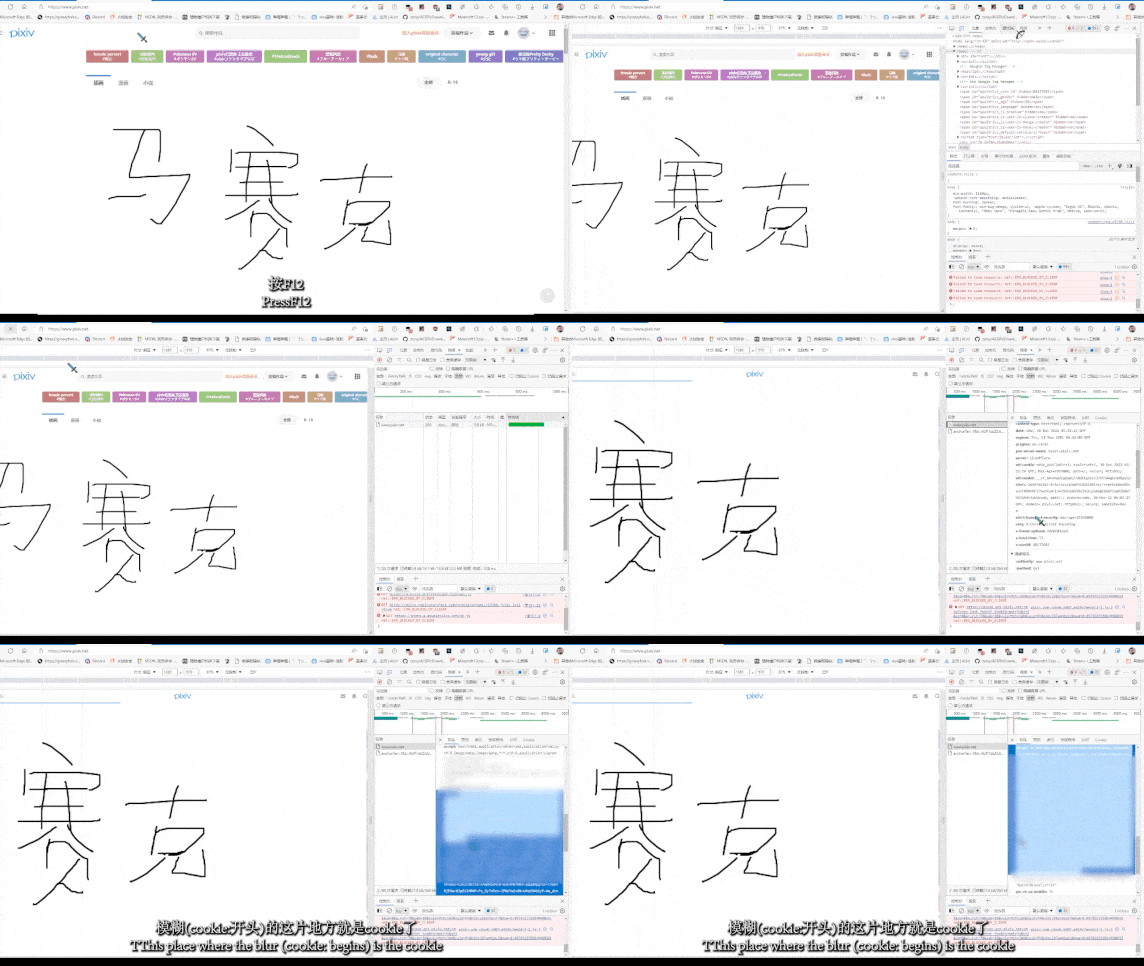
Open Pixiv and login to your account

-
Press
F12to openDeveloper Tools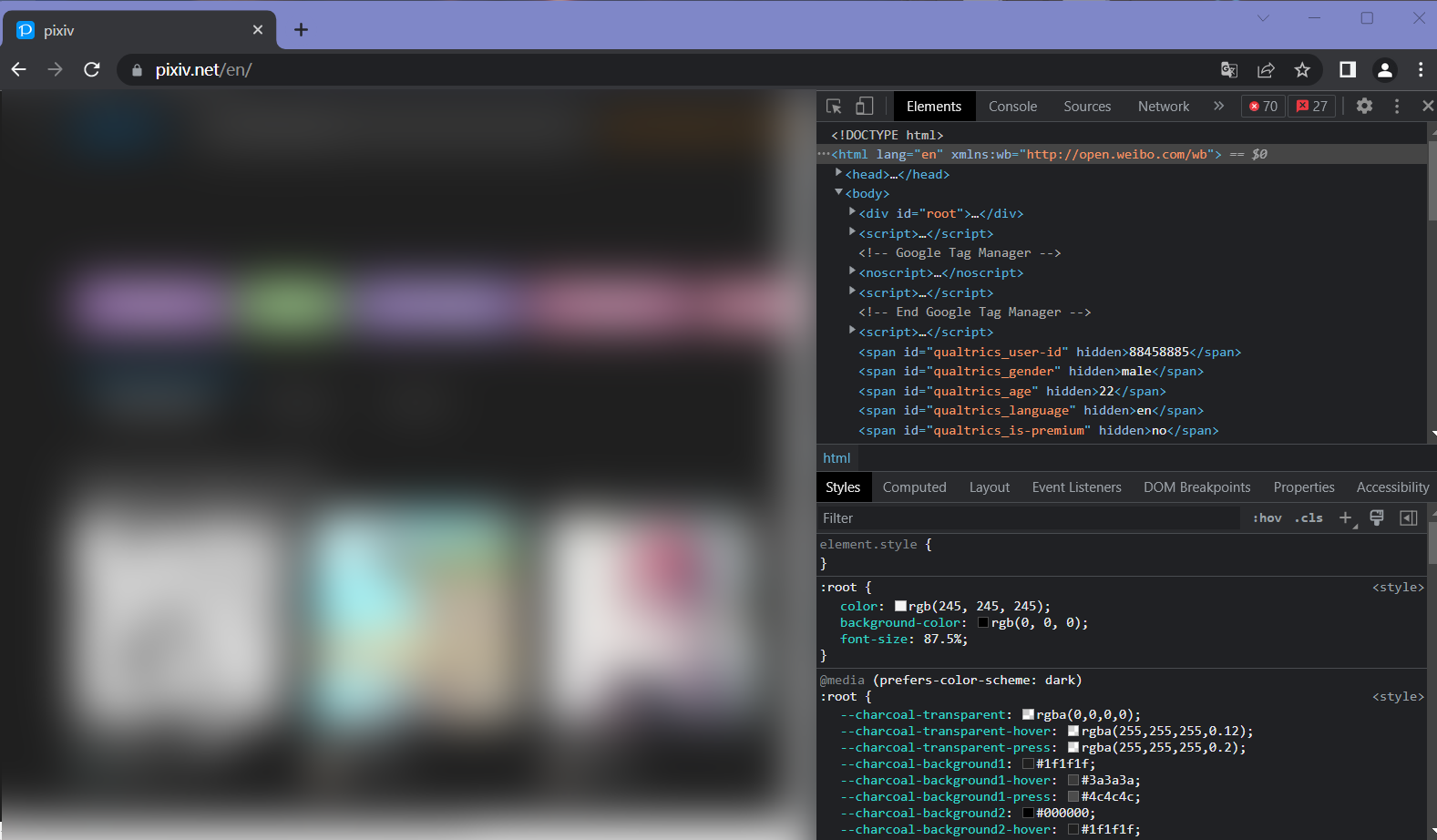
-
Choose
Network(if there isn't, go check the arrow on the right) and selectDoc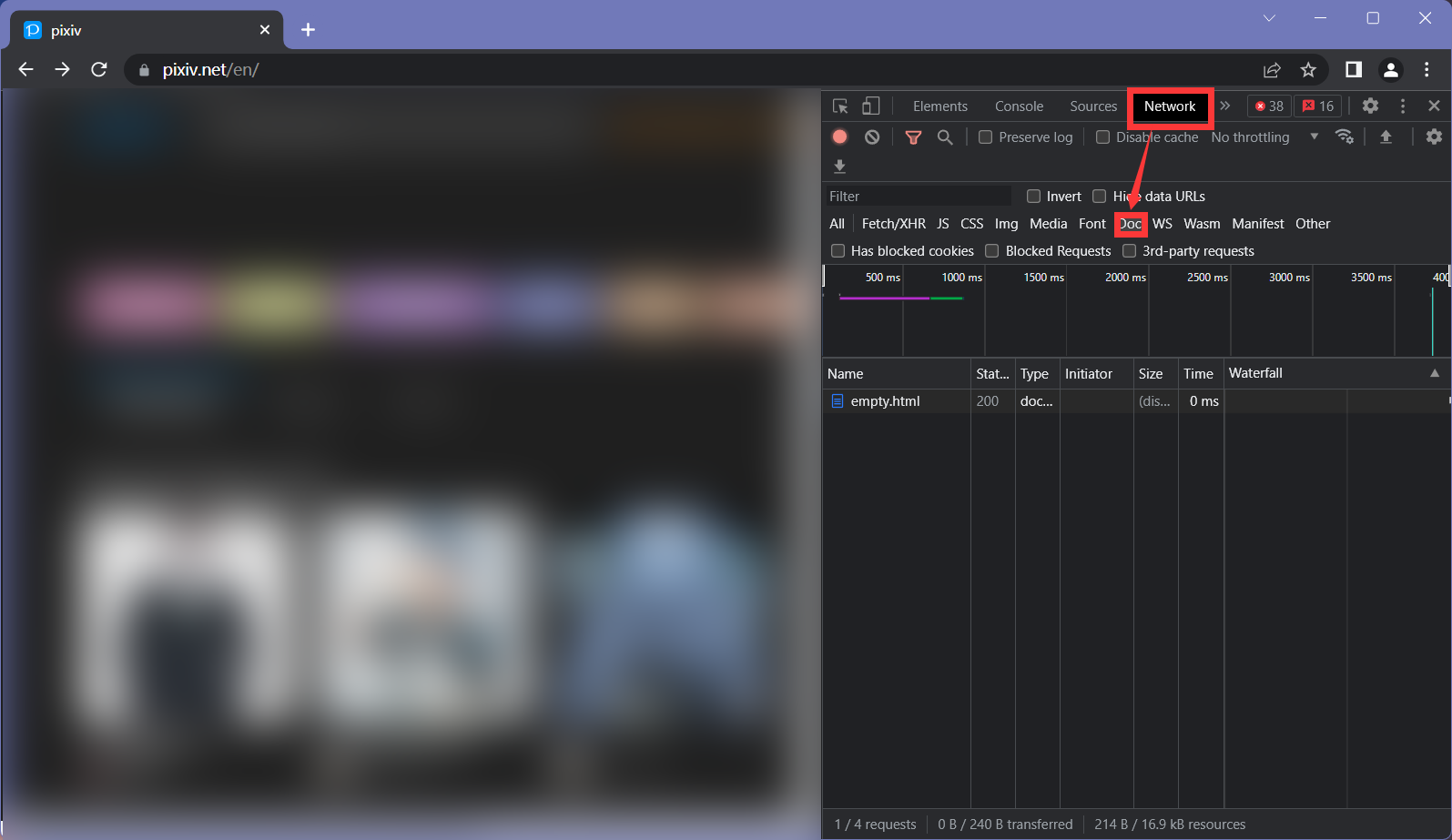
-
Refresh the page
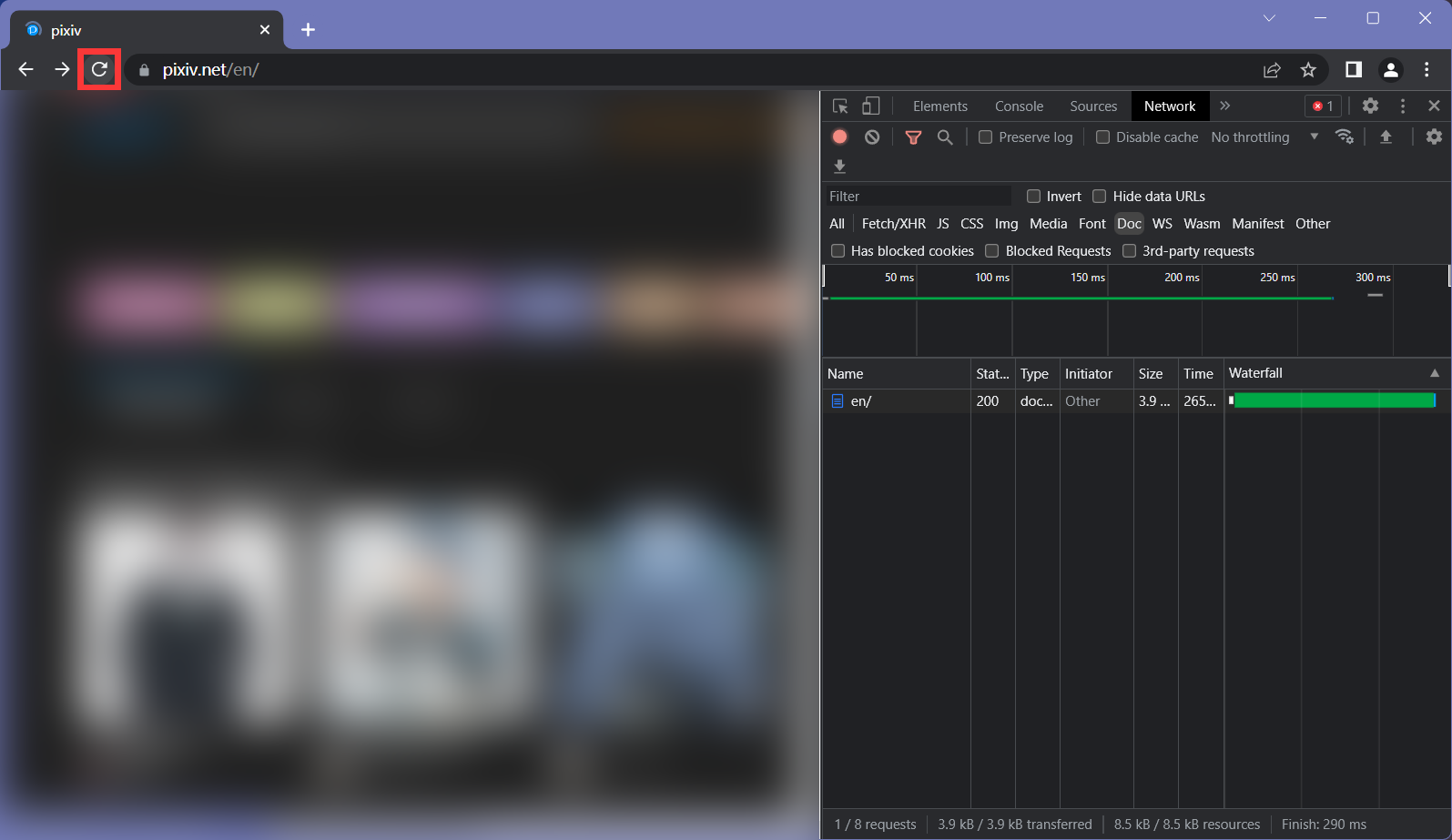
-
Click the first entry ,should named
www.pixiv.netor your language with/and findRequest Headersin theHeaderon the right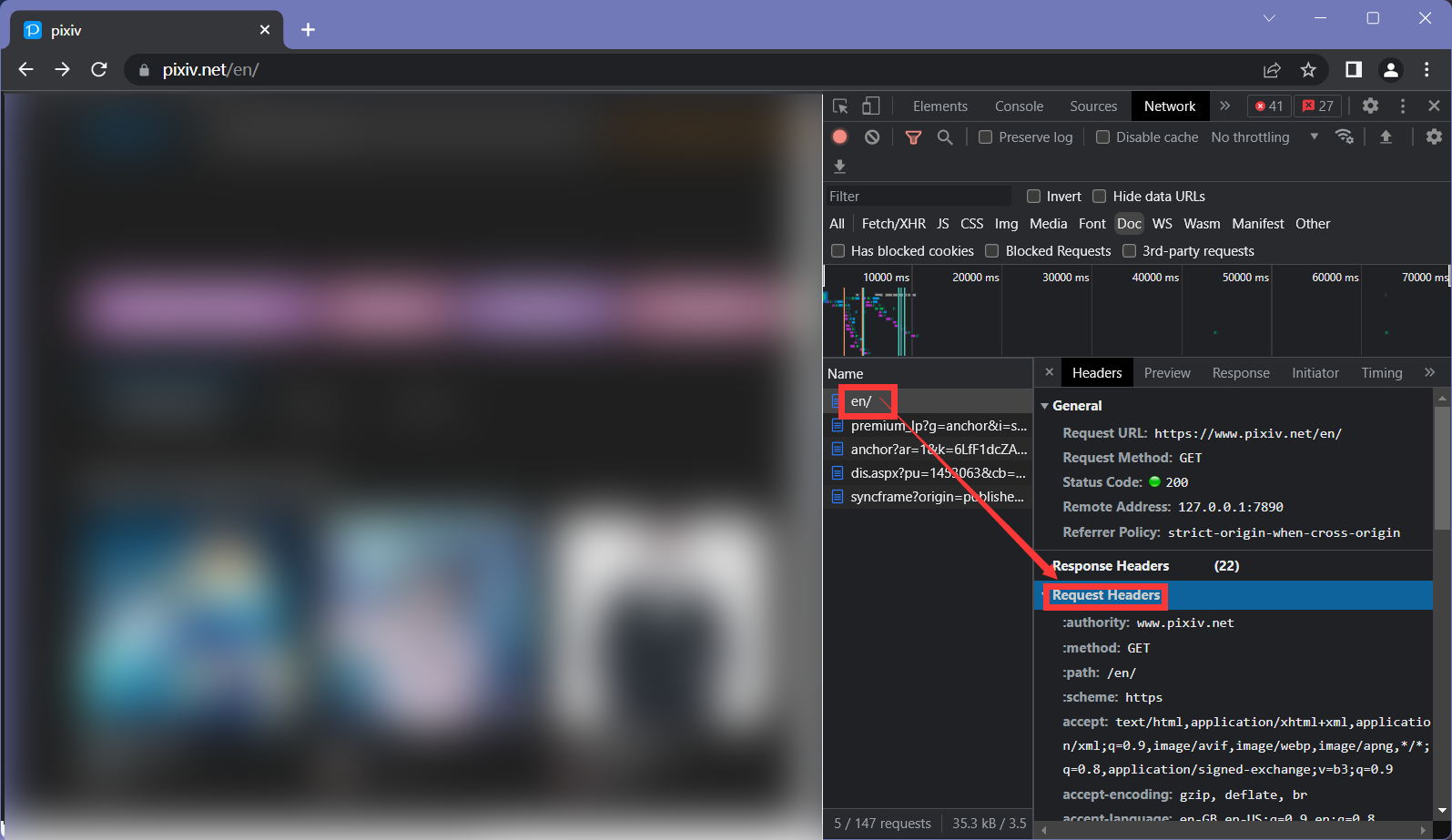
-
Right click on
cookieandCopy Value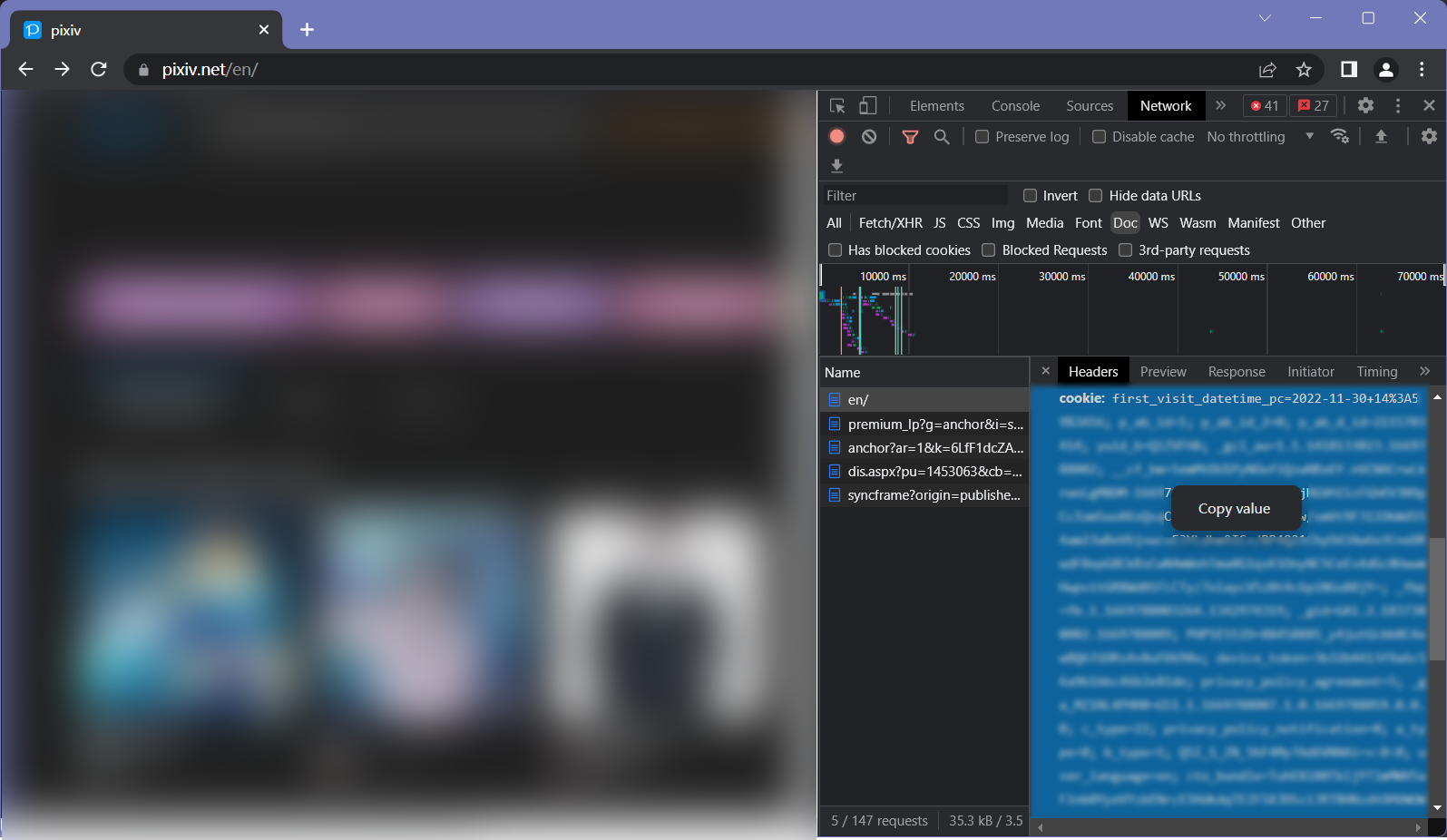
-
Paste it in the program
====================================
(and There's also a GIF here)
You can use Save Cookie button to save the cookie on your computer, but this may put your account under risk. We use your cookie to login your account to get what the pixiv recommends to you, this means others can also use it to login to your account. So please think twice before taking action ヾ(•ω•`)o