Skip to content

givemetip/SnakeGame


Folders and files

NameName
Last commit message
Last commit date

Latest commit


History

23 Commits


Repository files navigation

SnakeGame

Installation

cd your_workspace
git clone https://github.com/gemutsruhe/SnakeGame.git

Run

  1. Open Eclipse ( or other IDE )

  2. File > Switch WorkSapce > your work space
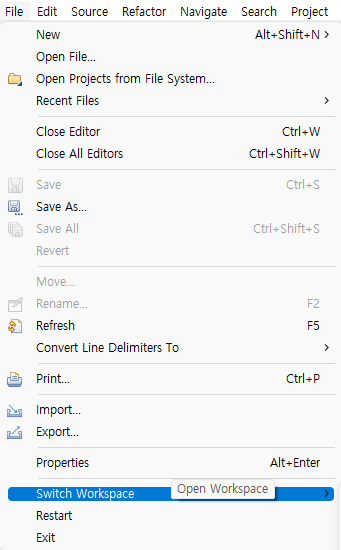
    eclips workspace

  3. In Project Explorer, Select Import projects...
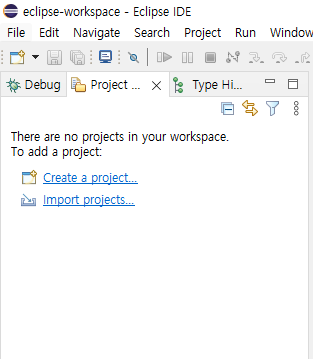
    import project

  4. In General folder, Select Existing Projects into Workspace and Click Next Button
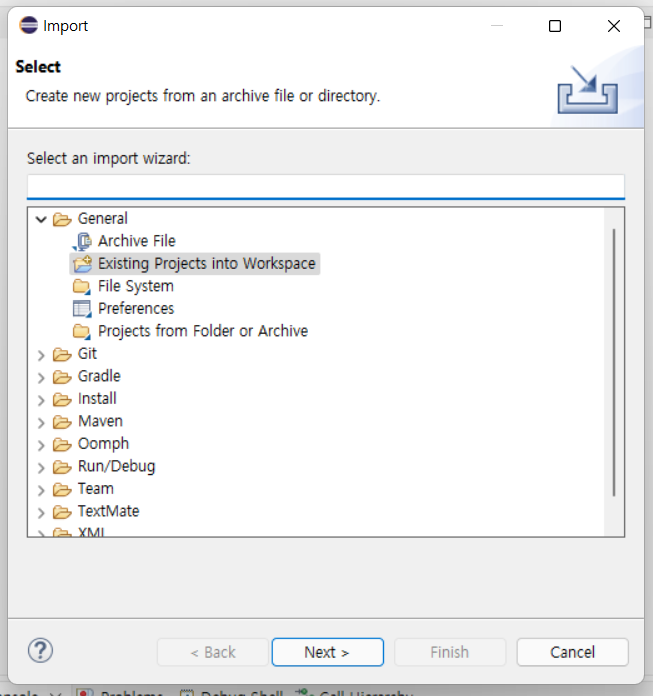
    exiting project

  5. Select root directory on cloned folder and Click Finish
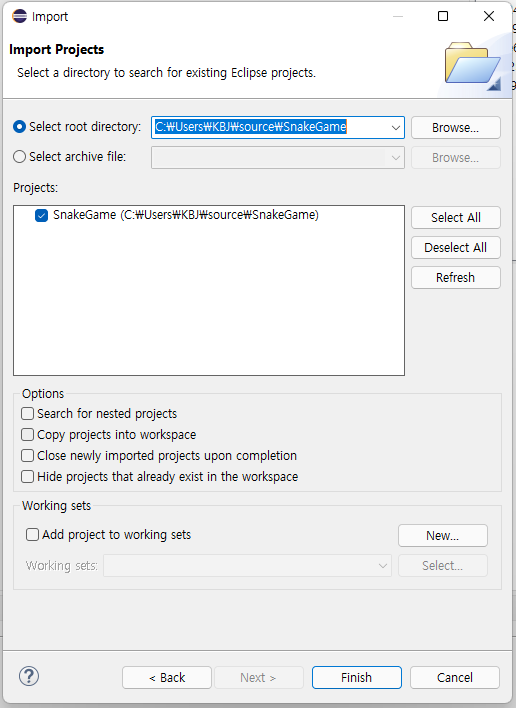
    import

  6. Run Project by pressing F11 Button or Run Icon

About

team member

Resources

Stars

Watchers

Forks

Releases

No releases published

Packages

No packages published

Languages

  • Java 100.0%