Device Errors
Welcome to the NTrack-Server-Help wiki!

This screen displays the lists of device errors

Displayed Details
- S/N : The serial number of the device the action belongs to.
- Error: The recorded error message.
- Command: The action performed by the operator.
- Function : The action performed.
- Operator Identifier : The identifier of the operator who caused the error.
- Operator Name : The name of the operator who caused the error.
- App : The version of the app the device is connecting to the system with
- Android : The android version running on the device
- Date : The date the action was performed.
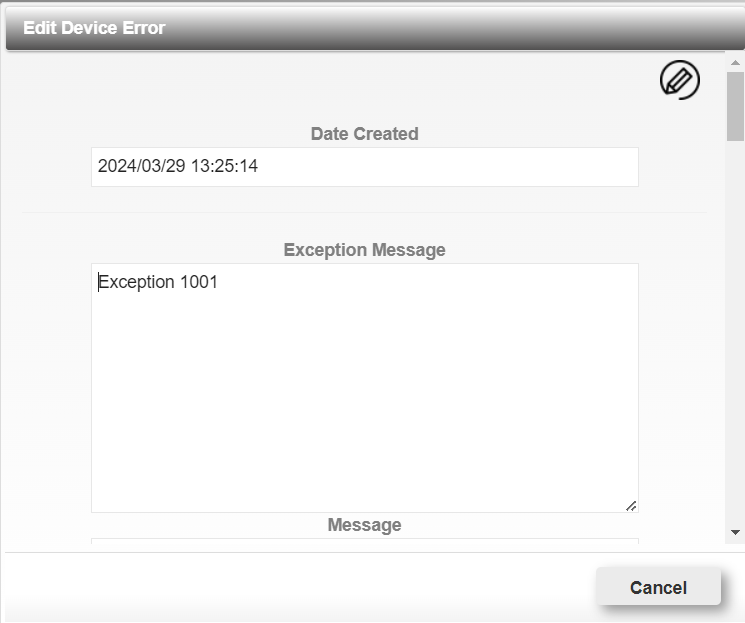
This dialog will display the details for the selected device error.
Device Error Details
- Date Created
- Exception Message
- Message
- Localized Message
- Stack Trace
- Notes
- Command
- Function Performed
- Entity Name
- Entity Id
- Entity Identifier
- Operator Id
- Operator Identifier : The identifier of the operator who caused the error.
- Operator Name : The name of the operator who caused the error.
- Phone Number
- Device Name
- Manufacturer
- Device Model
- Hardware
- Device Serial Number
- IMEI Number
- App Version: The version of the app the device is connecting to the system with.
- Android Version: The android version running on the device.
- Android SDK Version: The android sdk version running on the device.
- Android Target SDK Version
Buttons
- Cancel Button : Close dialog button.

This button will prompt the delete device dialog:

The dialog will display the date of the device error you are deleting.
Buttons
- Ok Button : Will delete the selected record.
- Cancel Button : Will close the dialog.